
UKG Pro to Workday Data Migration
Moving from UKG Pro to Workday? Mine automates the mapping between UKG's unified HCM/payroll model and Workday's worker-centric architecture — preserving employee data, compensation, benefits, and time management records.
Working with enterprise teams on active migration programs
4–8 weeks
to production-ready mappings
40–50%
cost reduction vs. manual migration
90%+
average mapping confidence
Most enterprise migrations start 6+ months behind schedule. Yours doesn't have to.
This guide is for VPs of IT, data architects, and migration leads at companies moving data from UKG Pro to Workday — whether you're scoping, planning, or mid-program.
UKG Pro (formerly UltiPro) stores HR, payroll, and talent data in a cloud platform with employee records, pay groups, deduction codes, and benefit plans. Workday uses a different worker-centric model with business process-driven events, compensation plans, and benefit elections. Mine translates UKG's integrated HCM/payroll model to Workday's unified architecture automatically.
Based on enterprise migration programs led by Mine's founding team
Last updated March 2026
How Mine automates your UKG Pro to Workday migration
Mine profiles UKG Pro's employee and payroll data exports and maps them to Workday's worker model — translating earnings codes, deduction codes, and pay group configurations to Workday's compensation and payroll framework.
Benefits enrollment data is mapped from UKG's plan structure to Workday's benefit plan model — with plan-to-plan translation, coverage tier mapping, and dependent enrollment preserved.
YTD balance migration is generated with penny-level precision for mid-year transitions — earnings, taxes, and deductions reconciled against UKG's payroll totals.
Time off balances and accrual configurations are mapped to Workday's absence management module with carryover calculations validated at the employee level.
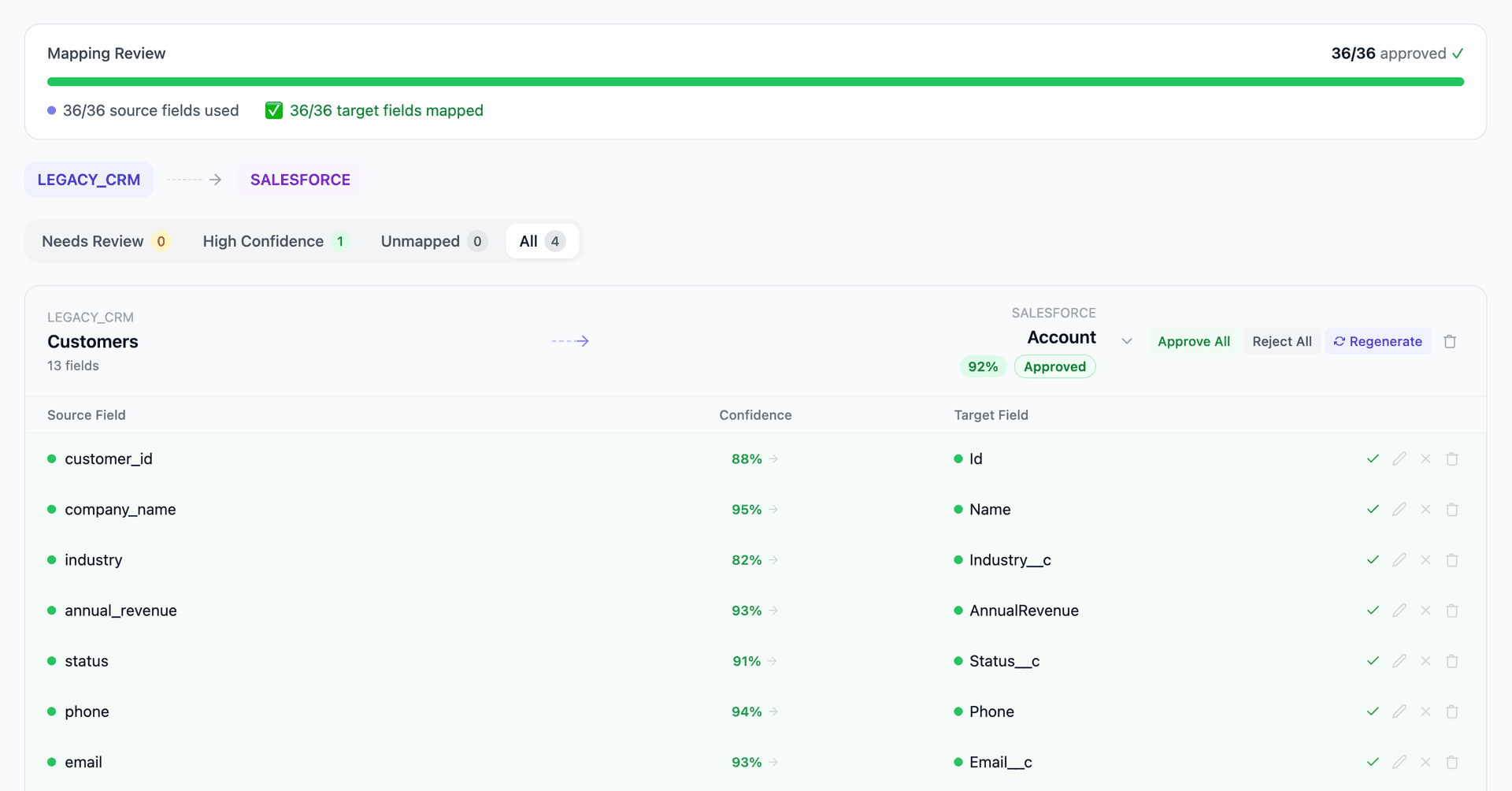
Get your UKG Pro to Workday mapping analysis — see results in under an hour
Migration timeline: manual vs. Mine
Traditional approach
Timeline
6–12 months
Estimated cost
$500K–2M
Team size
4–8 consultants
Typically requires
×Manual field mapping in spreadsheets
×Custom ABAP/SQL extraction scripts
×3–5 mock migration cycles
×Dedicated source system consultants
×Manual reconciliation testing
With Mine
Enterprise benchmarksTimeline
4–8 weeks
Team size
1–2 internal resources
Estimated cost
40–50% less
Included
✓Schema profiling & analysis
✓AI-generated field mappings
✓Transformation SQL
✓Validation & readiness reports
✓Production-ready load files
Common challenges migrating from UKG Pro to Workday
UKG earnings and deduction codes to Workday
UKG Pro uses configurable earnings codes and deduction codes organized by pay group and company. Workday uses compensation plans, earning codes, and deduction codes with different structural patterns. The code-to-code mapping must preserve payroll calculation accuracy.
Explore related migrations →Benefits plan structure translation
UKG Pro's benefits module uses plan types, plan codes, and coverage tiers. Workday uses benefit plans, benefit groups, and coverage types with different enrollment event rules. Active enrollments with dependents must migrate accurately with correct effective dates.
Explore related migrations →Time and attendance data
UKG Pro includes time management (formerly UKG Dimensions/Kronos) with schedules, time cards, and accrual balances. Workday uses its own Time Tracking module or integrates with third-party time systems. Historical time data and current accrual balances need migration planning.
Explore related migrations →UKG data extraction
UKG Pro provides data through BI reporting, Cognos analytics exports, and API access. Direct database access is not available. The extraction method affects data fidelity and completeness. Mine works with whatever export format UKG provides.
Explore related migrations →UKG Pro to Workday field mapping — what data moves
12 data objects typically migrated
| Source Object | → | Target Object |
|---|---|---|
| Employee Record | → | Worker |
| Job / Position | → | Position / Job Profile |
| Department / Location | → | Supervisory Organization |
| Earnings Configuration | → | Compensation Plan |
| Deduction Configuration | → | Deduction Election |
| Benefits Enrollment | → | Benefit Election |
| Dependent | → | Dependent |
| Address / Contact | → | Worker Address / Contact |
| Tax Information | → | Tax Election |
| PTO / Accrual Balance | → | Time Off Balance |
| Performance Review | → | Performance Review |
| YTD Accumulators | → | YTD Balance Load |
Typical enterprise migrations include 500K–10M+ records across these objects. Mine handles profiling and mapping at any scale.
The cost of manual UKG Pro to Workday migration
Companies typically manage this migration through Workday implementation partners over 6–12 months. The payroll and benefits data conversion — ensuring accurate pay calculations and benefit elections on day one — is the highest-risk workstream.
Frequently asked questions
Related migration paths
In one enterprise migration, a single field mapping error in customer master data caused $100K in billing discrepancies that went undetected for 6 months.
Mine catches these issues before they reach production.
Built by a team that led SAP, Oracle, and Salesforce data migration programs for Fortune 500 companies at a Big 4 consulting firm. Currently in design partnership with enterprise clients running active migration programs.
Ready to migrate from UKG Pro to Workday?
Tell us about your migration and we'll show you how Mine can help.
No commitment required. We'll review your migration scope and share a preliminary assessment within 48 hours.
You'll receive a preliminary mapping analysis showing how your source objects map to your target schema, with confidence scores and flagged risk areas.