
Infor to Dynamics 365 Data Migration
Migrating from Infor to Dynamics 365? Mine automates the mapping between Infor's industry-specific data model and D365 Finance & Supply Chain Management — preserving product masters, BOMs, production data, and financial history across Infor LN, M3, or CloudSuite.
Working with enterprise teams on active migration programs
5–10 weeks
to production-ready mappings
40–50%
cost reduction vs. manual migration
90%+
average mapping confidence
Most enterprise migrations start 6+ months behind schedule. Yours doesn't have to.
This guide is for VPs of IT, data architects, and migration leads at companies moving data from Infor to Microsoft Dynamics 365 — whether you're scoping, planning, or mid-program.
Infor LN uses session-based tables — tcibd001 (Items), tccom100 (Business Partners), tipcf001 (BOM Lines), tisfc001 (Production Orders). Infor M3 uses MITMAS (Item Master), OCUSMA (Customer), MPDMAT (BOM). Dynamics 365 uses Data Entities for import — Released Products V2, BOM Versions, Route Operations, Production Orders. Mine detects which Infor product line your database runs and maps the correct source schema to D365 Data Entities automatically.
Based on enterprise migration programs led by Mine's founding team
Last updated March 2026
How Mine automates your Infor to Microsoft Dynamics 365 migration
Mine detects which Infor product line your database runs — LN, M3, CloudSuite Industrial, or CloudSuite Distribution — and applies the correct source-to-D365 mapping. No manual table identification needed.
Infor's Business Partner model is automatically split into D365's separate Customer and Vendor account records with addresses, contacts, and payment terms assigned to each role.
BOMs and routings are restructured from Infor's production model to D365's BOM Versions and Route Versions with effective dates, approval status, and site assignments — ready for D365 Data Management import.
Mine generates D365 Data Entity import files in the correct format and sequence — handling entity dependencies so the data loads cleanly without sequencing errors.
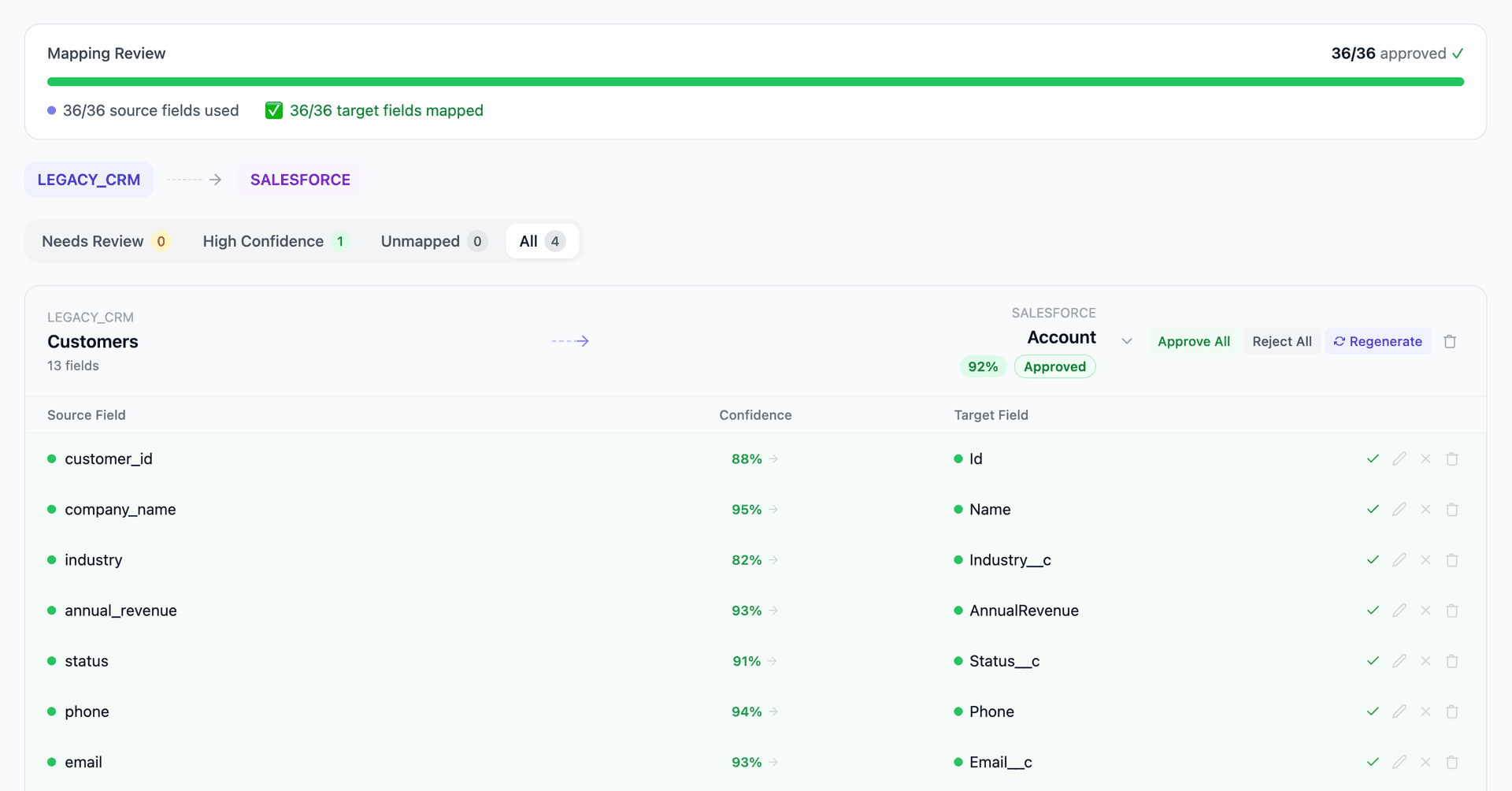
Get your Infor to Microsoft Dynamics 365 mapping analysis — see results in under an hour
Migration timeline: manual vs. Mine
Traditional approach
Timeline
8–18 months
Estimated cost
$500K–2.5M
Team size
6–14 consultants
Typically requires
×Manual field mapping in spreadsheets
×Custom ABAP/SQL extraction scripts
×3–5 mock migration cycles
×Dedicated source system consultants
×Manual reconciliation testing
With Mine
Enterprise benchmarksTimeline
5–10 weeks
Team size
2–5 internal resources
Estimated cost
40–50% less
Included
✓Schema profiling & analysis
✓AI-generated field mappings
✓Transformation SQL
✓Validation & readiness reports
✓Production-ready load files
Common challenges migrating from Infor to Microsoft Dynamics 365
Infor product line detection and schema mapping
Infor's portfolio fragmentation means the mapping approach differs entirely based on which product is in use. LN's tcibd001 and M3's MITMAS both represent items but have completely different table structures, field names, and relationships. Mine detects which Infor product the database runs and applies the correct schema-to-D365 mapping. This eliminates the first 2–4 weeks of manual discovery.
Explore related migrations →Business Partner model to D365 Customer/Vendor accounts
Infor LN uses a unified Business Partner concept (tccom100) where one entity can serve as customer, vendor, or both. D365 separates customer accounts (CustTable) and vendor accounts (VendTable). Mine splits dual-role business partners into separate D365 records, preserving addresses, contacts, and payment terms for each role.
Explore related migrations →BOM and routing to D365 BOM Versions and Route Versions
Infor's BOM and routing structures (tipcf001/tirou001 in LN, MPDMAT/MPDOPE in M3) must map to D365's BOM Versions with BOM Lines and Route Versions with Route Operations. D365 requires effective dates, approval status, and site assignments on every BOM/route version. Mine generates the versioned structures with all required D365 fields populated.
Explore related migrations →Financial dimensions and chart of accounts restructuring
Infor LN uses ledger accounts with dimensions. Infor M3 uses accounting strings with division and cost center. D365 uses main accounts with financial dimensions (department, cost center, business unit). The dimensional model restructuring affects every journal entry. Mine maps Infor's dimensional model to D365's financial dimensions and generates the account crosswalk.
Explore related migrations →Data Entity formatting and import sequencing
D365's Data Management Framework requires data in specific entity formats with strict field requirements and import sequencing. Customers before addresses, items before BOMs, financial dimensions before journals. Mine generates import-ready Data Entity files in the correct format with proper sequencing and validation.
Explore related migrations →Infor to Microsoft Dynamics 365 field mapping — what data moves
12 data objects typically migrated
| Source Object | → | Target Object |
|---|---|---|
| tcibd001 / MITMAS (Item Master) | → | Released Products V2 (Data Entity) |
| tccom100 / OCUSMA (Customer) | → | Customers V3 (Data Entity) |
| tccom100 / CIDVEN (Vendor) | → | Vendors V2 (Data Entity) |
| tipcf001 / MPDMAT (BOM) | → | BOM Lines V2 / BOM Headers V2 |
| tirou001 / MPDOPE (Routing) | → | Route Operations V2 |
| tisfc001 / MWOHED (Production Order) | → | Production Orders |
| tdsls400 / OOLINE (Sales Order) | → | Sales Order Headers V2 / Lines V2 |
| tdpur400 / MPLINE (Purchase Order) | → | Purchase Order Headers V2 / Lines V2 |
| Inventory (whwmd210 / MITBAL) | → | Counting Journal (Data Entity) |
| G/L (tfgld100 / FSLEDG) | → | General Journal (Data Entity) |
| AR (tdsls410 / ARS100) | → | Customer Invoice Journal |
| AP (tdpur410 / APS100) | → | Vendor Invoice Journal |
Typical enterprise migrations include 500K–10M+ records across these objects. Mine handles profiling and mapping at any scale.
The cost of manual Infor to Microsoft Dynamics 365 migration
Microsoft and Infor partners typically run these projects over 8–18 months. The data conversion workstream — identifying the Infor product line, mapping its schema to D365 Data Entities, restructuring BOMs and routes, converting financial dimensions, and formatting import files — is among the most demanding because it requires expertise in both the Infor source and D365 target.
Frequently asked questions
Related migration paths
In one enterprise migration, a single field mapping error in customer master data caused $100K in billing discrepancies that went undetected for 6 months.
Mine catches these issues before they reach production.
Built by a team that led SAP, Oracle, and Salesforce data migration programs for Fortune 500 companies at a Big 4 consulting firm. Currently in design partnership with enterprise clients running active migration programs.
Ready to migrate from Infor to Microsoft Dynamics 365?
Tell us about your migration and we'll show you how Mine can help.
No commitment required. We'll review your migration scope and share a preliminary assessment within 48 hours.
You'll receive a preliminary mapping analysis showing how your source objects map to your target schema, with confidence scores and flagged risk areas.